

Become familiar with CNC programming code
Presented here is the second part of a two-part series of columns about the importance of becoming familiar with CNC programming code.
Presented here is the second part of a two-part series of columns about the importance of becoming familiar with CNC programming code. The following describes the steps involved in manually writing a program.
First, begin and end all programs with a percent sign (%), which tells the controller where a program starts and finishes. Then, insert a program number and follow it with a description of the part and setup number in parentheses, such as O00101 (adapter plate setup #1). Program numbers start with the letter O followed by a five-digit number. The program numbers can be whatever you choose. The controller ignores anything in parentheses, so the information inside parentheses is for your benefit only.

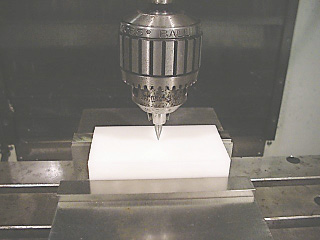
The X and Y starting point, or G54, is set roughly to the center of the part in the sample program. Image courtesy J. Harvey.
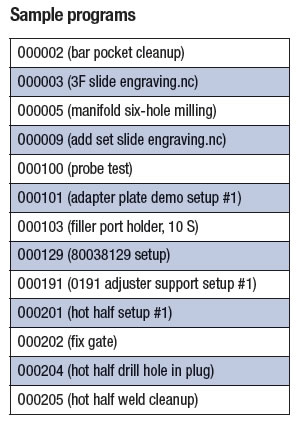
Program numbers help the controller keep track of stored programs. Each program stored in the controller has a different program number. The table lists sample program numbers.
Insert your safety line coding so the program runs as intended. Some codes erase commands in the controller’s memory that could cause a program to stop running. Your controller is likely set up with a number of defaults, which would make some—if not all—of these codes redundant and unnecessary.
However, having a strong safety line at the beginning of programs gives you peace of mind, because you know programs are going to start consistently. Furthermore, there is no execution time associated with using them. The following are some examples.
Review the print ads from this magazine to continue
This quick advertiser review unlocks the rest of the article and keeps the full-screen reader focused on the ads instead of the page chrome.
Continue reading
December 2016
 MFGAxis Discussion
Be part of the shop-floor conversation
Like, save, or comment on this CTE story.
MFGAxis Discussion
Be part of the shop-floor conversation
Like, save, or comment on this CTE story.


MFGAxis Discussion